UI Guide
A walkthrough of the DevPulse dashboard, taken from the live deployments.
Dashboard
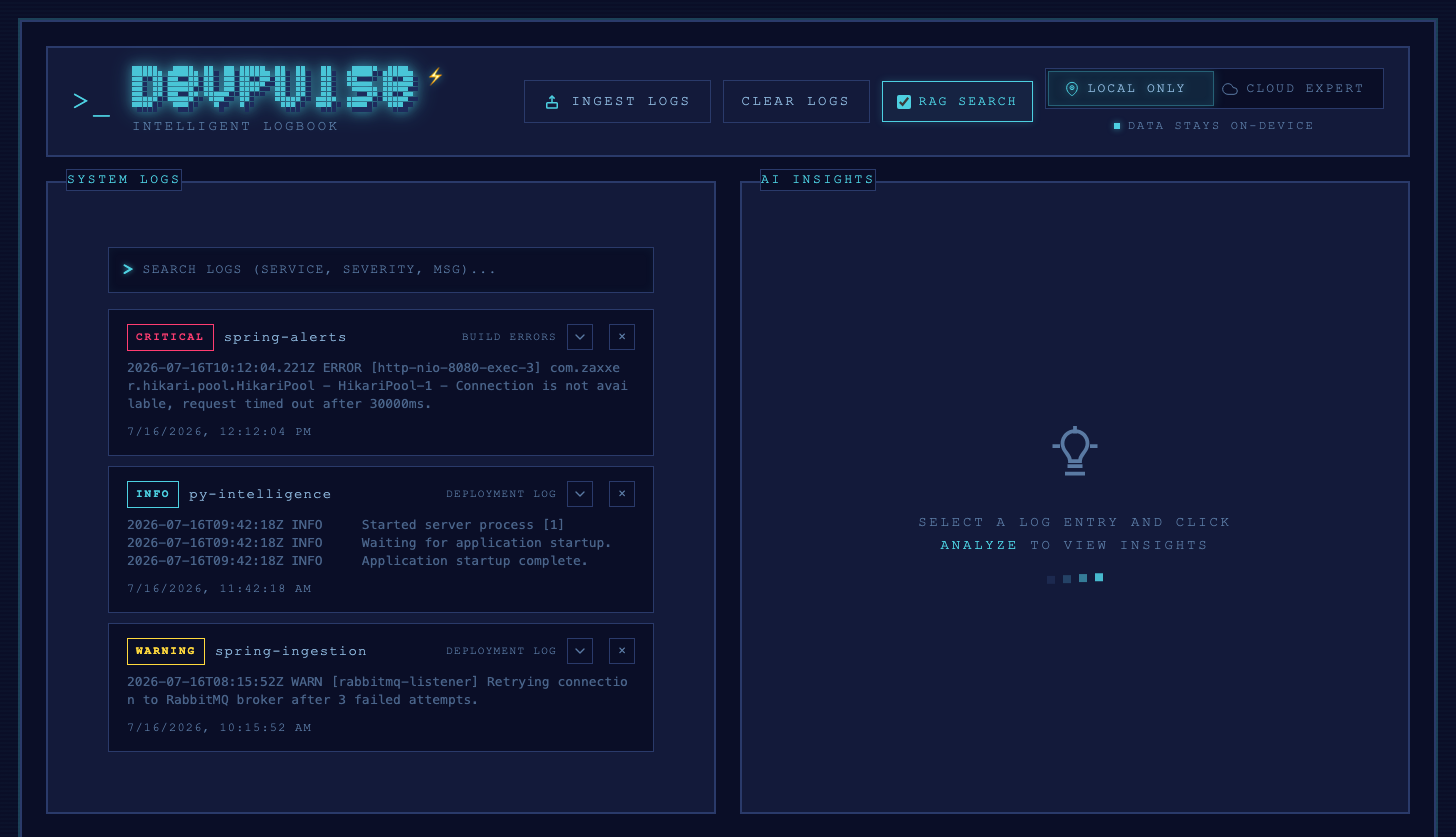
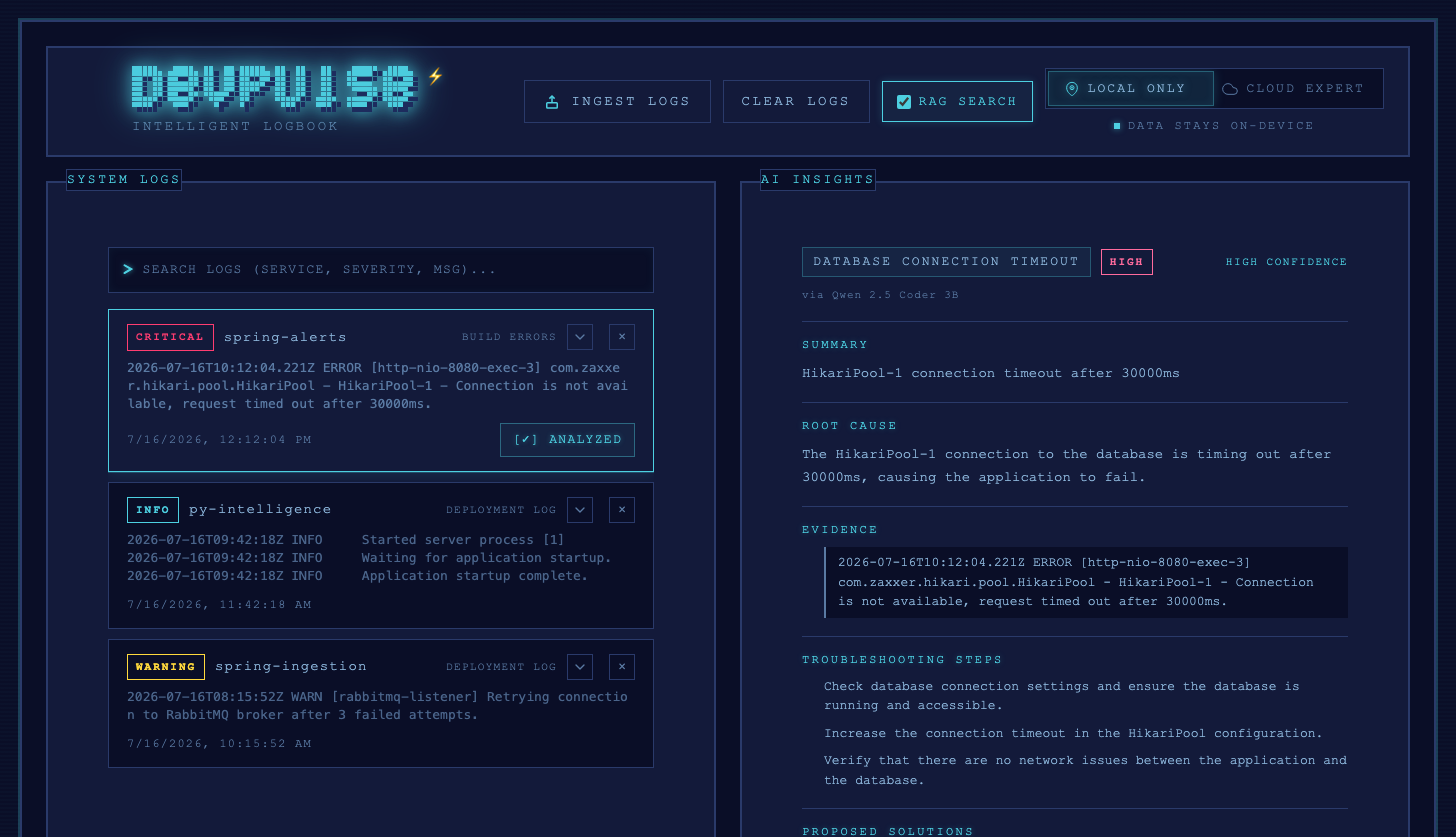
The main view has two panels: System Logs on the left, and AI Insights on the right. The top bar lets you ingest new logs, clear all logs, toggle RAG-augmented search, and switch between local and cloud inference. Each log entry shows its severity, service name, and resolution status.
Deployment-aware local mode
The local model tier and available CPU threads differ between deployments, and the UI reflects that automatically via the /health endpoint:
- Local docker-compose (unconstrained CPU/RAM) runs the larger, accelerated 3B model. The dashboard shows an ⚡ accelerated badge next to the logo, with a tooltip explaining why.
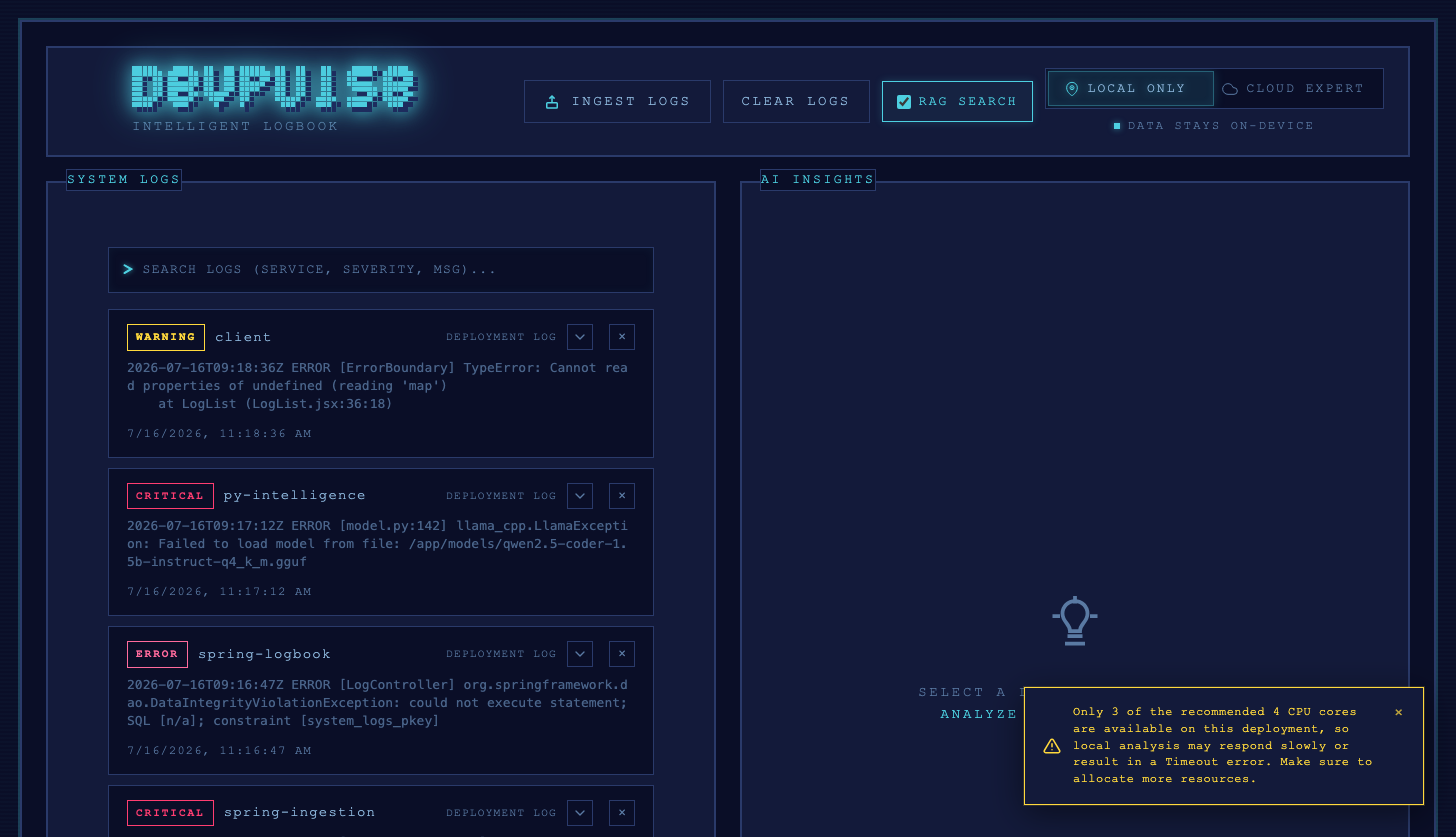
- Rancher/Kubernetes (CPU-limited namespace quota) runs the smaller 1.5B model with fewer threads than recommended. No accelerated badge is shown, and a dismissible warning appears instead, explaining that local analysis may respond slowly or time out.
Ingesting a Log
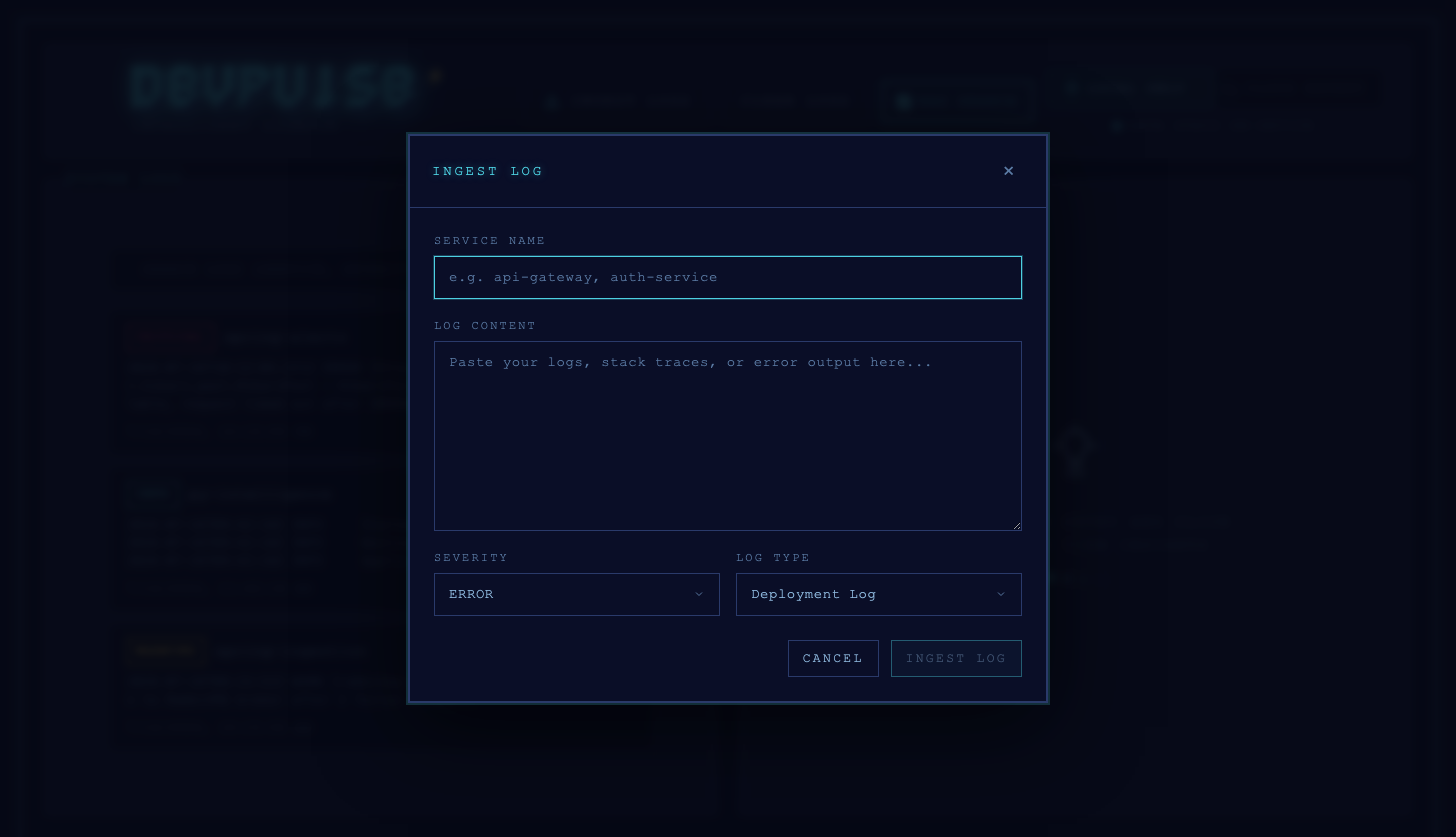
Click Ingest Logs to open the ingest dialog. Fill in the service name, paste the raw log/stack trace content, and pick a severity and log type. This is the same payload shape as POST /api/v1/logs in the OpenAPI contract.
Analyzing a Log
Selecting a log entry and clicking Analyze sends it to py-intelligence. The AI Insights panel shows the detected problem type and severity, a summary, root cause, and the evidence extracted from the log content, along with which model produced the analysis (local Qwen, Gemini, or the OpenAI fallback). Once generated, the analysis is persisted and survives a page reload.
Scrolling further down the panel shows troubleshooting steps, proposed solutions, and — if RAG search is enabled — any matching sources pulled from the knowledge base.
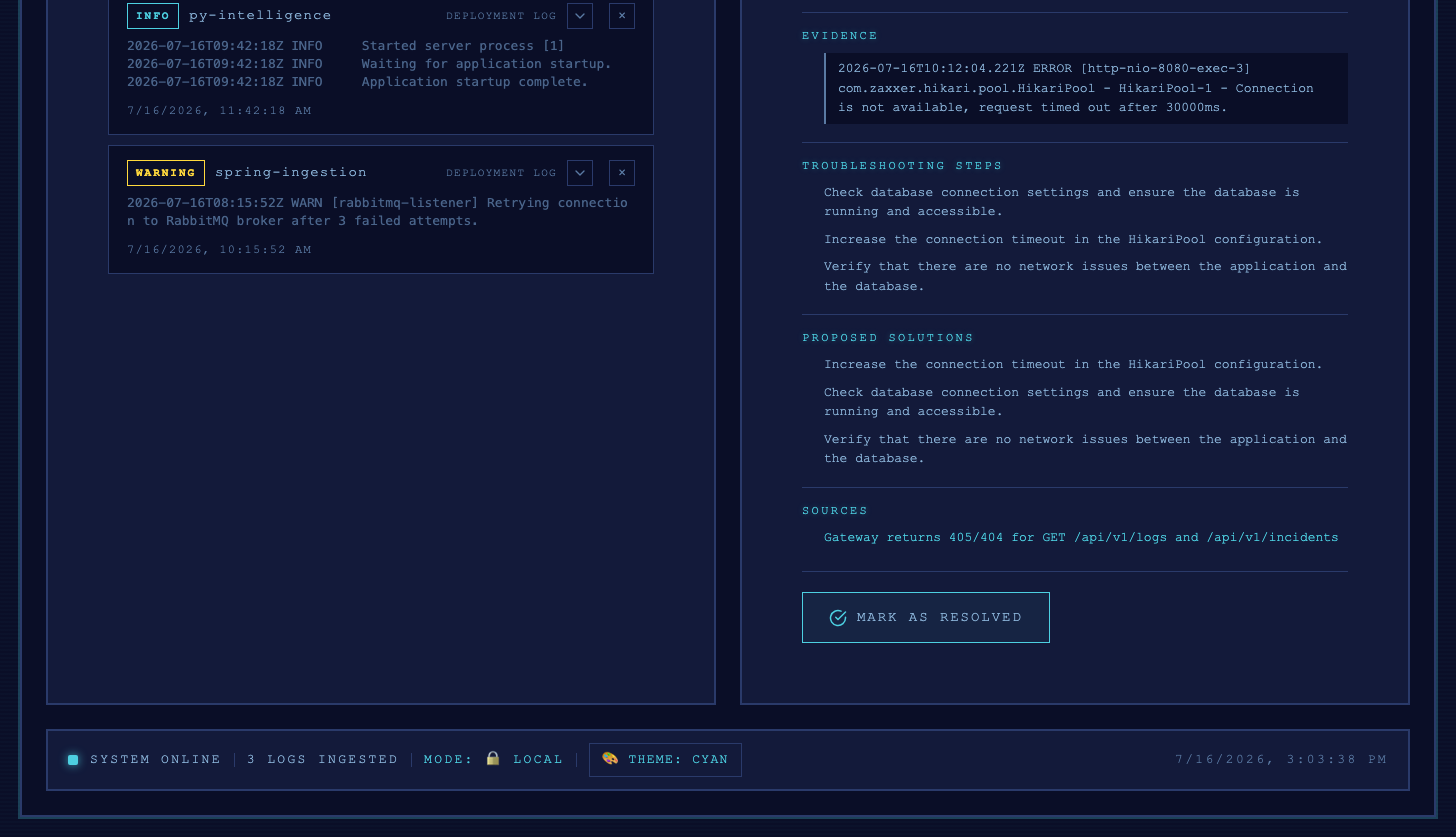
Resolving an Issue
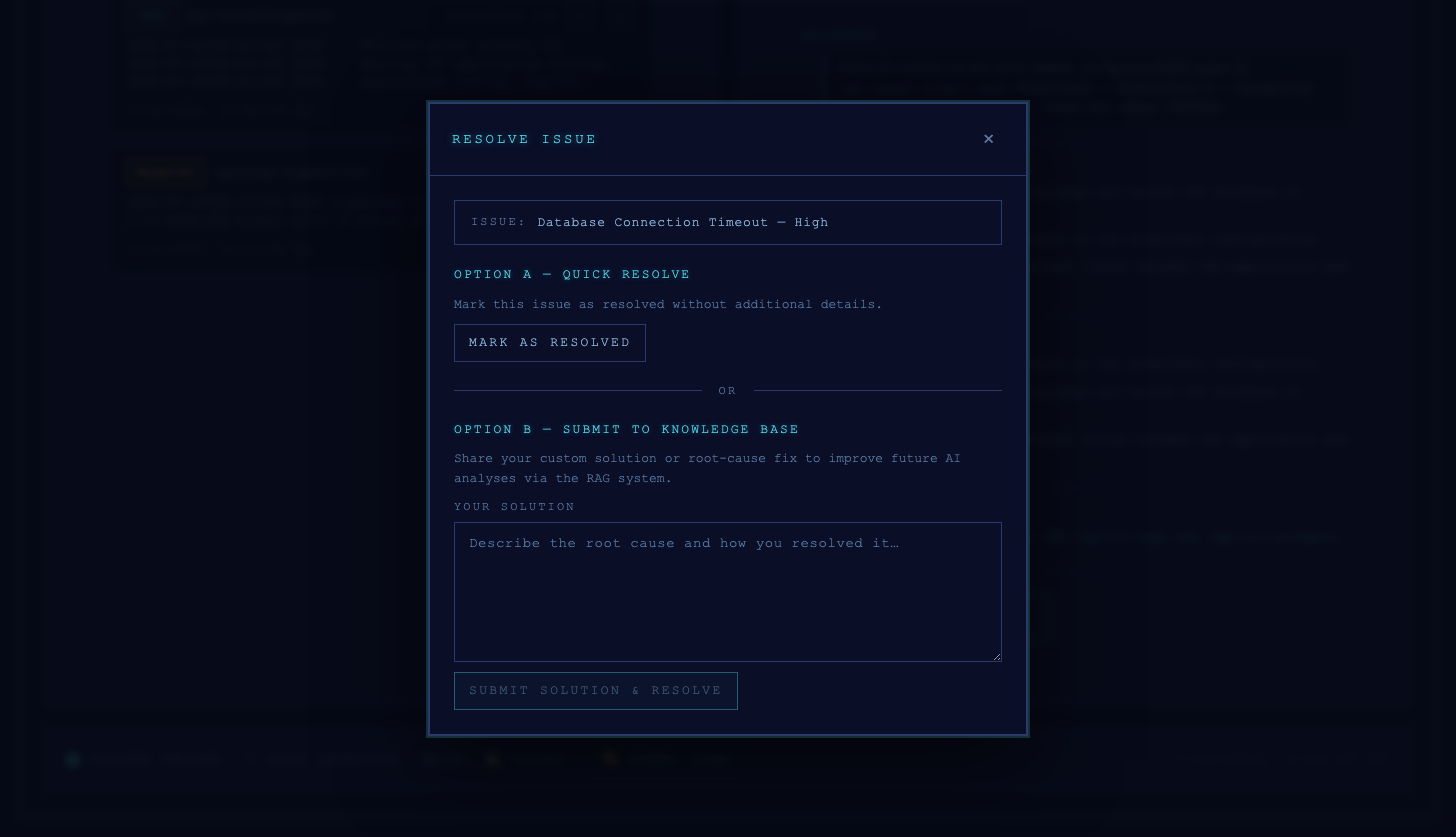
Clicking Mark as Resolved opens the resolve dialog with two options:
- Option A — Quick Resolve: marks the issue resolved immediately, no extra input needed.
- Option B — Submit to Knowledge Base: lets you describe the actual root cause/fix you applied, which gets indexed via RAG so future analyses of similar issues can reference it.